Fable: The Lost Chapters
-
 Fable: Anniversary
(2014)
Fable: Anniversary
(2014)
Description official descriptions
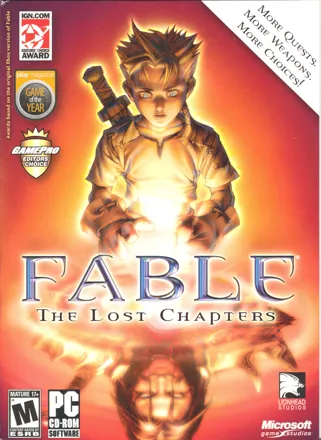
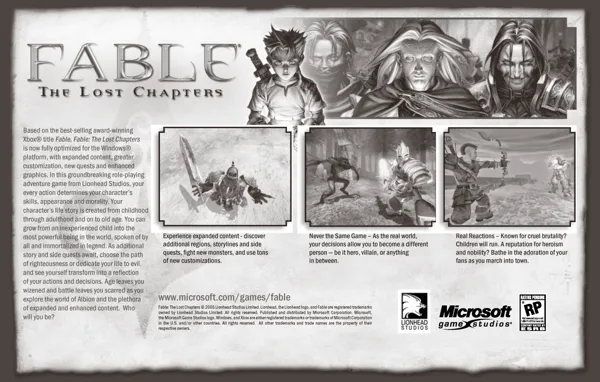
Fable: The Lost Chapters is a version of Lionhead's Xbox-exclusive Fable, featuring enhancements to storyline and gameplay.
The game expands the main plot of the original release, continuing it beyond the final confrontation as well as adding nine new areas and sixteen quests. A few characters from the earlier version participate in the storyline more actively and have their own quests. Additional content includes new buildings, monsters, weapons, spells, items, and armor. The protagonist also has more expressions and ways of communicating with people at his disposal. In the computer versions players have the ability to create their own tattoo designs and import them into the game.
Spellings
- 神鬼寓言:失落的章节 - Chinese spelling (simplified)
Groups +
- Console Generation Exclusives: Xbox
- Fable series
- Gameplay feature: Aging
- Gameplay feature: Arena fighting
- Gameplay feature: Armor / weapon sets
- Gameplay feature: Brothels
- Gameplay feature: Fishing
- Gameplay feature: Gambling
- Gameplay feature: House ownership
- Gameplay feature: Multiple endings
- Xbox Best of Classics releases
- Xbox Best of Platinum Hits releases
- Xbox Classics releases
- Xbox Platinum Hits releases
Screenshots
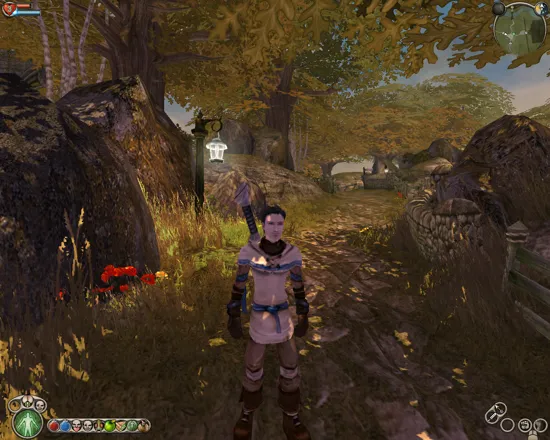
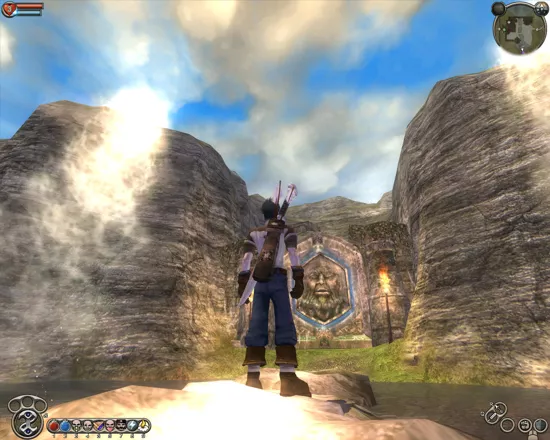
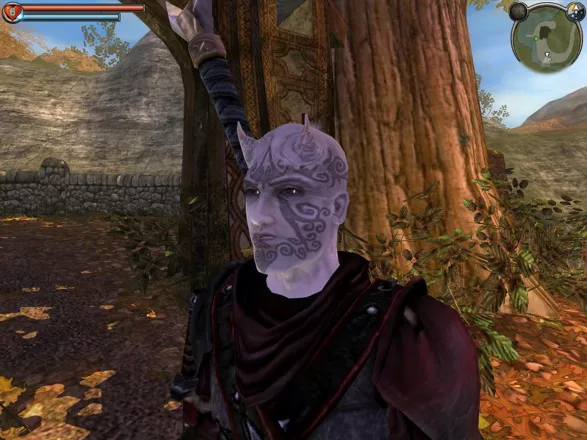
Promos
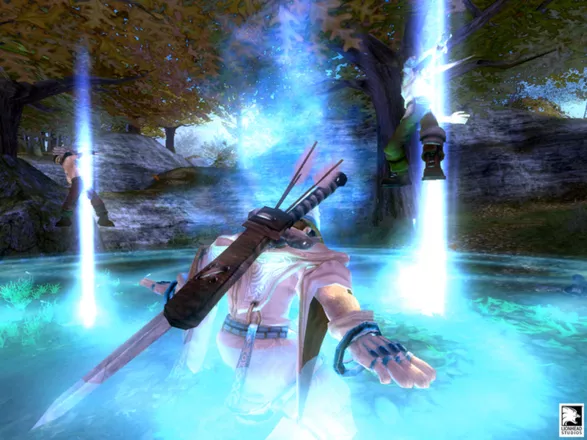
Credits (Windows version)
844 People (747 developers, 97 thanks) · View all
| Designers | |
| Coders | |
| Scripters | |
| [ full credits ] | |
Reviews
Critics
Average score: 83% (based on 77 ratings)
Players
Average score: 3.8 out of 5 (based on 112 ratings with 7 reviews)
The Good
Fable, the ambitious game formerly known as “Project: Ego” Was leaked to the public in about 2002. From the get go it seemed like one of those games that would never come out. It seemed to be just too big of a project, even for Lionhead Studios, whom have always been known for pushing the envelope. I preordered the game and when it shipped I raced home to play it. In the end it was not as unique as I was led to believe but still a solid RPG. Later Fable: The Lost Chapters came out. Having enjoyed the original version I had to play this one. For 20 bucks I got a more complete Fable, and found myself enjoying it again.
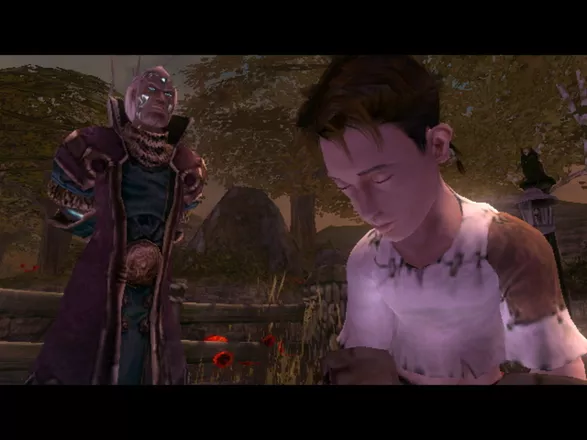
Fable begins with you, as a lad in Oakvale, a sleepy village in Albion. After playing a portion teaching you learn about the morality of the land as well as a few other things. After this tutorial, Oakvale is raided by bandits, you survive, few others do. From here you are taken to the Hero’s Guild. Where you train to become a great hero.
After you graduate it is up to you how you will carve your destiny. You can be a righteous warrior, a seedy assassin, or powerful mage. This is really where Fable shines. The freedom you have in what type of character you play as well as how you play it is excellent. Yes other games have done similar things. But in most of those games you choose these things before you start playing. This game reacts to your actions.
You also have control over the way your warrior looks. That includes haircuts, tattoos, and the weapons and armor you use. NPCS will even react to how you look! Woman and even men will either fall in love with you or be disgusted by you. Your prestige also plays a factor in this. The more popular you are the more people will like even if you are unattractive, kinda like real life.
By completing quests you gain prestige and become more popular. You can also show off any trophies that you have won on quests. You can also be an example to others. If being evil is your goal you can make the populace fear you. This can be achieved by taking evil quests. And by committing crimes and just being rude.
You even have freedom over your class. Drinking habits. And sex life. You can be hetero, homo, or even bi, sexual. You could even opt to be chaste.(But what fun would that be?) However before any of that sort of thing can take place you must marry. You can marry once in every village. For a total of 6 wives. (Why would you want more than one? Insanity?)
There are some discrepancies in the morality system, but more on that later. The plot is simple but enjoyable and to the point, with a few plot twists thrown in for good measure.
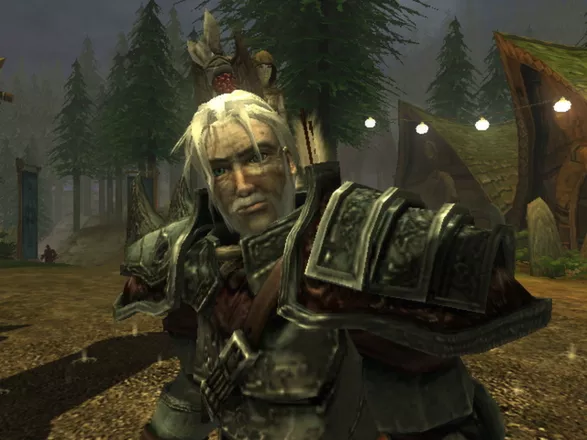
The Graphics in Fable are incredible. The detail put into the areas, monsters weapons, armor, and characters are great. The power of the Xbox is shown here in full force. The lighting effects are superb as are spell effects. It is hard to put into words how great this game looks, so I will stop now.
The Music and Sound department excels as well. With the main theme of Fable composed by Danny Elfman, how can you go wrong? The rest of the music is up to snuff as well. The voice acting is quite well done. The similar dialects of the inhabitants of Albion help make the world seem more real. The sound effects are very good. This is often neglected in RPGS not so here. Play it in 5.1 surround sound for maximum effect, if you have the means.
The Bad
The morality system could use some work. For example, killing your spouse only nets about 25 evil points, while getting a divorce gains about 1,000. What? Furthermore the game is designed for those who follow the good path. There should be an “Anti Heroes Guild” or something.
Why would you become evil after witnessing an evil act as a child? What is this a horror movie? Would Batman become evil? This game is short and can be cleared in under 20 hours even with the new content. This is not necessarily a bad thing however. But for most people it is.
The occasional bug kills gameplay. For instance once I was in a village and I was attacked by an assassin. Yet when I went to defend myself I was fined for murder. WTF?
The Bottom Line
Overall Fable: The Lost Chapters is an enjoyable RPG. Now with a $20 price tag, and 15% more Fable, you can at least try it. It may not be Lionhead’s best game but it is certainly worthy of the name of the legendary developer.
Xbox · by MasterMegid (723) · 2007
[v2.0] No, it's not a Fable. It's a Legend.
The Good
Review Version: v2.0 Major update after re-playing da game.
Review Date: January 29, 2008
Review Length: 9 page(s).
Game Version: v1.0 (I think) and later v25.7.13.149
Tech Specs Used: Intel Dual Core 2 1.86 Ghz Processor, 1GB Memory, 256MB NVIDIA 7300 LE Video Card.
Alignment Used: Tried both good and evil. Preferred having horns than butterflies though.
Finished: Yes, twice.
Last time played: January, 2009.
If there was one game that I'd call a life saver for me in all those dang years where PC games looked like they were going to die, then this is it. Back then it has been a very, very good while since I've played a darn good RPG game, if not a darn good PC game that gave me a good feel. This is one of those games.
To this point, I’ve played the game twice with at least 2-3 years in between. So, the second time around I’m a bit more objective. It also seems that this later version I’m playing has been upgraded a bit too much. One thing I noticed is that I can’t seem to kill children anymore, but I’ll get to that later for all you people currently in aghast. :p
Introduction: About the Game – For Readers who never played the game:
The game is 3rd Person RPG game with various elements of what people may identify as “adventure” in today’s terms. Bear in mind, this isn't a “heavy duty” PC RPG game. It isn't even an RPG game in the traditional sense. It's more of a console RPG game (or what some people may call Japanese RPGs/JRPGs) adapted to the PC platform. This is a very light RPG game, where you really can't take it seriously since the uses an extremely simple humor-related type story. So if you’re looking for combat mechanics, this is the game for you. If you’re looking for a story, go play an adventure game and leave us RPG traditionalists alone. :p
-
Quests
- Battle Charge: [Instant Spell] Propels the caster in a direct forward line knocking down any enemy in its path, more likely due to the sense of smell as the hero never seems to bathe. Higher levels will allow longer line and more damage.
- Enflame: [Instant Spell] Blasts the area surrounding the caster. Enemies will be knocked down. Extremely useful for cooking if fine ones self in the midst of multiple domesticated chickens. Higher levels of enflame will cover a larger area and more damage.
- Fireball: [Power-up Spell] The classic long range spell allows the mage to throw a fireball at a distant enemy. Higher levels will allow explosions, causing area damage to the enemy, knocking down all in its vicinity and more damage. Fireballs maybe cast on different levels if the hero chooses to.
- Lightning: [Instant Spell] Electricity leaps from the caster and damages several enemies at once. Higher levels allow more enemies to be targeted simultaneously with more damage. The lightning spell has an automatic target system, which means that you only need to target one enemy and it will always hit. Enemies near the targeted enemy will also be damaged (basic spell hits 3 targets, higher levels will target more enemies). Additionally, all enemies currently being damaged by the spell are semi-paralyzed, only allowing a few steps of movement.
- Multi Strike: [Instant Spell] A melee support spell. Allows the blade of the caster hit the enemy multiple times. The attack cannot be blocked. Higher levels allow more strikes (minimum three, maximum five…er I think) and more damage.
- Divine Fury: [Power-up Spell] Calls the power of the Good Gods to strike down enemies from the heavens. This area attack spell requires a bit of time to cast, during which the caster is immobile and subject to damage from adjacent enemies. When the spell is cast, enemies in a pre-designated circle surrounding the caster, as well as enemies the circle, will be paralyzed and subject to continuous damage.
- Infernal Wrath: [Power-up Spell] The evil version of Divine Fury. There is no difference between Divine Fury and Infernal Wrath except in graphical presentation and purchase/upgrade requirements.
- Force Push: The infamous Jedi spell that knocks down and damages all enemies surrounding the Jedi…er…hero. The damage is minimal but the spell is instant and requires only a bit of mana. Higher levels allow more (minimal) damage and an increased surrounding range of “pushing”.
- Slow Time: The opposite version of moving fast, is making everyone else slow. Enemies will be cast in slow motion, while you will move in normal speed. The graphical display also changes, showing a clock-like feature on the screen. Probably ineffective during actual gameplay.
- Turn Coat: Temporarily turns enemies into allies, if cast by the caster from close range. Somewhat problematic as there is minimal graphical display that the spell is being cast or if the enemy can actually be “turned”. Not all enemies are affected by this spell. Higher levels will allow enemies to be affected longer. And no, you can’t use this on girls…I’ve tried. :p
- Drain Life: A favorite of evil Will Users (read=evil mage), drains enemies of their life source and transfers it to the caster. These “transfers’ are seen as glowing balls of light which fill follow the caster and replenish his life. Higher levels will allow more “balls of light” to be harnessed from the enemy. Using this spell will affect the casters’ alignment slightly towards evil.
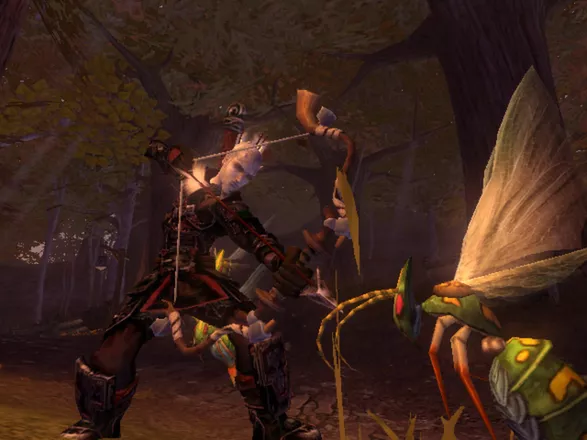
- Summon: A soul is summoned from the netherworld to aid the caster. Initial soul comes in form of a wasp. If the wasp kills an enemy stronger than its current self, it will change to the soul of that enemy. These “upgrades” are permanent, so the next time the hero casts the spell, it will summon last strongest version the last soul killed. A bit tricky trying to “help” the soul kill a stronger version of its-self. Not all enemies are subject to the soul-transfer, though.
- Assassins’ Rush: Probably the most useful spell in the game. Allows the caster to be promptly “teleported” to the target enemy, preferably behind the target. Thus usually allows a free attack at the target. Mana cost is minimal, thus may be used several times per enemy without constantly checking your mana reserves. Higher levels allow a longer distance of teleportation to a distant enemy. Also, while “teleporting” the caster is immune from all damage.
- Berserk: A melee support spell, which transfers the caster into a red version of the Incredible Hulk. All attacks cannot be blocked, and the casters clothes are considered to be extremely elastic (even the Plate Armor) as they don’t seem to shred to pieces. Personally, I’m more interested in the heroes’ tailor than the spell. :)
- Heal Life: Heals the life of the caster as well as all non-hostiles in his direct vicinity. Extremely useful if the hero wishes to heal NPCs (Non-Player Characters).
- Physical Shield: Allows the caster to be immune to ALL damage effect while using this spell. Damage however is subtracted from the casters’ mana reserves until the mana runs out and the spell aborts. Constantly using mana potions will avert this affect. This spell in mandatory if the hero wishes to use the “Take no damage” boast during quests, or good luck trying to dodge that Rock Troll. :p
- Ghost Sword: Summons a spirit sword from one the inventory of one angry dead blacksmith :p The sword will continue to attack enemies of the caster until the time is run out or the sword is destroyed. Higher levels will allow up to 4 swords to be cast.
- Multi Arrow: The only ranged support spell in the game. Allows multiple arrows or bolts to strike the enemy when the caster is using a ranged weapon. These “arrows” are seen as balls of light encircling the caster. They will remain there permanently until the caster actually uses them. Higher levels will allow more “balls of light” and thus more arrows to strike the enemy.
The main purpose of the game is to complete quests given out to you by the Heroes Guild. Some of these quests are optional; main quests are obviously mandatory. Sub-quests are identified by a silver color; main quests are identified by a gold color (and some optional-bronze color). Many quests have an additional feature where the hero may “boast” at the boasting platform. Boasts allow the hero to bet and win money if he successfully carries out a specific boast in relation to the quests. Example boasts are “finishing the quest naked” (obvious, additionally cannot use certain magic spells), “fist fighter” (cannot use weapons or offensive magic), etc. These boasts are of course optional to the player, however adding more boasts does allow the player to win more money (and fame) additionally, it allows a change in gameplay for each different boast. Killing an enemy without weapons (fist fighter) does take a very, very long while.
Character Overview
Initially, you play a male child with a seemly oversized head and hands. At this point, the graphical differences from modern 3D RPGs and traditional 2D RPGs become quite apparent. This part of the game is the “intro section” where you get used to the controls of the game. Actual gameplay occurs much, much later when you graduate from the Heroes Guild. Unfortunately, this section of the game cannot be skipped, which I have tried many times. The main character then becomes a male adult who now plays the role of a “hero”, fresh out of the heroes’ guild.
Everything about the character may be seen from the character sheet, accessible by pressing the default button ‘Esc’. Here, you may see the progress of the hero. Including alignments, quest progress, martial status, sexuality, monster kills, etc.
Combat
Our new hero is capable of various techniques. In combat, the hero may various combinations of 3 different combat styles: Melee, Ranged, and Magic. Melee consists of an up-close and personal approach with melee weapons or fist-fighting.
- Melee weapons are divided into light and heavy weapons. Light weapons deal less damage but are faster (e.g. swords). Heavy weapons deal more damage but are slightly slower (e.g. maces). In melee combat, the hero may attack, block, and even maneuver by rolling in a certain direction. Normal attacks may be blocked from any direction (automatic when blocking). However, the hero may only block similar melee attacks. Ranged and magical attacks cannot be blocked, and may only be dodged (by rolling out of the way).
Additionally, there is a power attack which is indicated by a purple/blue glow from the melee weapon. A power attack cannot be normally blocked, and thus will always deal damage. However, if the hero is damaged, the power attack glow will disappear until it shows up again. Power attacks emerge after a series of blocked attacks by your hero or a series of successful attacks.
Ranged weapons consist of longbows and crossbow. Longbows load faster but deal less damage than crossbows. Crossbows deal more damage but take considerably longer to load ammunition. Aiming with ranged weapons is automatic and will always as long as an enemy is targeted. There is also a 1st person snipe mode to target enemies from a longer distance. Human targets may be decapitated if the hero aims for the head (not quite sure how an arrow can do that, but there you go). Arrows and crossbow bolts are considered unlimited in the game and do not need to be bought.
Magic consists of various different types:
-
Assault spells are battle spells magic that deals direct damage to an enemy. [Note: Instant spells may be cast instantly. Power-up spells require some time before it can be cast] Spells under this category are:
Character Alignment
The game introduces a “good and bad” system which affects the physical features of the character as well as the response of others to the hero. However, the alignment really does not affect game play, i.e. it does not additional quests to be opened or limit quests the hero may access. This is more of an atmospheric feature. The more inclined the hero is to either good or evil, will also unlock more alignment-type expressions. Expressions are communication features the hero may use when interacting with people, such as apologize for good heroes or vulgar thrust for evil heroes. In either case, expressions actually have no particular use during gameplay.
A good aligned hero will be more welcome when meeting people in the game. Killing monsters is regarded as example good acts. These people may be asked to “follow” the hero if the hero wishes to. Though the intentions are usually more “evil” then they are good (followers are good distractions for hungry Balverines). An extremely good hero will notice that his physical features will change: butterflies will start to surround him, an aura of light, his eyes begin to glow, etc.
An evil aligned hero will be feared when meeting people in the game…especially by children. Killing people, stealing, assaulting innocents are considered example evil acts. An extremely evil hero will notice that his physical features will change: horns start grow from his forehead, flies will start to surround him, a red aura of light, his eyes begin to glow, etc.
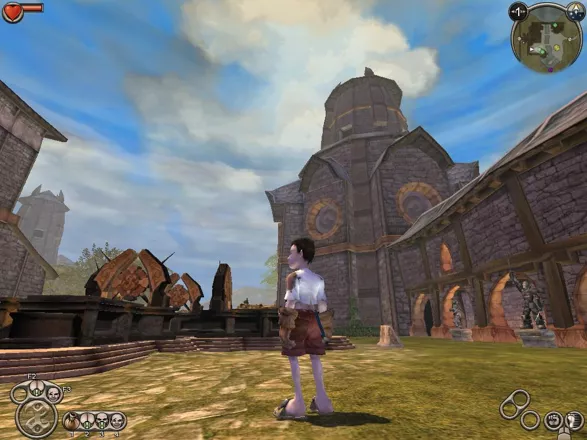
The best way for me to describe the graphics is “cheerful. ”No-nonsense anime-like console graphics which should've looked ugly on the PC but it didn't. The colors are very bright and "pretty", probably because I've been playing too many games with dark colors. The graphics of the game also remind the player that they are indeed “playing a game”. Graphically it disregards the “immersion factor of reality” but more focuses on the “immersion factor of a game”. Personally, I believe gamers really need to be constantly reminded that they are indeed playing a game, instead of a re-creation of reality.
I like the way they pictured the character and the clothing. Big head, big hands, looks somewhat dorky the first time around but looks way cool after you start wearing some decent clothes. The accessories of clothing in this game are oddly addictive to my opinion. Clothes have complete “sets”. For example, if you find a plate helmet, there is sure to be plate gloves and boots somewhere, thus a complete set. You can even wear dresses if you find them. A combination of different clothes makes the hero look physically unique. Combining plate armor on the torso and using a dark dress is quite fascinating, though it may encourage certain physiological tendencies I’d rather not get into right now. :)
I was more interested in clothing in this game then I was when I was playing the Sims. Not to mention trying out different types of hairstyles and tattoos.
Story-Related & Voice Acting
Very light and very mediocre for hard-core RPG gamers, even to the point where it is somewhat insulting to the average adventure genre-lover. The story “tries” to be tragic and ironic, it may well be so felt by younger audiences which I believe is the primary target audience. The mature (over-30) audience will be 100% be not so impressed…unless of course they don’t go out very often. :p
However, regardless of the overall lack of story, to a certain point some stories portrayed in the sub-quests do a bit of justice, although honestly there severely aren’t enough of them. One sub-quest I would like to point out is the “Book Finding” sub-quest. Here a school teacher requests the hero find books so he can teach them to the children. It is personally a joy, seeing the teacher read the stories, seeing the children’s responses and in some instances, the book is used for a play/drama by the children. Most of them are humorous, some dry, but acceptable regardless. The children by the way in this game, are an absolute delight (well, ignore the fact that I try to kill them once in a while :p). All of them are cute and cuddly and their basic movements are curiously quite similar to most children (including myself) in that age.
In this regard, I would like to commend ALL the voice acting in this game. As far as voice-acting goes in games, its Oscar-nomination worthy…especially the children.
Game Mechanics
My, my. For me the one of the most important elements in RPG IS combat. Though I am an RPG veteran player, and while you and I know that every RPG player on earth would say that the most important element in an RPG is either the story/plot or the character customization process, in practice I believe this is not so. It’s the combat mechanics that made RPG games last this long.
Anyway, the combat mechanics of this game to me was almost perfect. Even more so when you want to maneuver quickly. Considering I didn't think this was an action game to begin with, this game has better mechanics than most adventure/action games I've played. You roll when you want to roll, you strike when you want to strike, you cast spells when you want to, etc.
Since in most action games where timing is essential, this game did not fail me in this area. However, either it’s my imagination again, in the later version of the game, I noticed slight alternations in game mechanics. There seems to be a certain delay in some movements. Most irritating is that you cannot certain actions whilst casting spells or blocking (er…I think). Also, I think it’s my current mouse, but the default ‘block’ button, i.e. middle mouse button, was quite difficult to use. Had to change it to ‘ctrl’, though later in the game I didn’t use it much. Finally, there aren’t enough quick slots to choose from.
Music
Either it has background "noise" or it actually has music. Music in a game is something that you "notice". If you don't notice it, then it's not worth the mention, now is it? Music in Fable IS noticaeble. One thing that needs to be underlined is that whoever created the compositions for this game, understands the meaning of "epic" when it comes to music. Which is far from what I can say for Bethesda and their "epic-type-games-without-epic-type-music" sigh.
The music greatly adds and supports the immersion factor in this game. From the compositions I can recall, three come to mind:
[1] Basic traveling;
[2] Combat music;
[3] Horror background. This one actually something I'd expect from a good horror movie, not from a game.
Overall, the music is extremely top-notch in the world of gaming musical compositions.
Sub Quests, Non-Quests, Fishing in the Pond
Final Fantasy must be one of the inspirations of this game. You know what makes a Final Fantasy game? Not the story. Its all those little mini games that divert you from actually finish the game. Fable does this also, though not very successfully but at least a worthwhile effort.
A demon in full body armor fishing by a pond? This is the first game in existence where such a feature could actually occur. So there I am, my character, taking the evil path. Filled with nasty horrifying tattoos, red-blackish body armor, and horns that would envy any Spanish matador...
...and what is he doing?
Fishing by a pond in the middle of the forest.
Enjoying himself.
More than often, this game really is a vacation...
Philosophical Mindset
For the enlightened and most beginner philosophers, at a very light level this game is actually very deep. It identifies the perfect impossible utopia world for high level philosophers: A place where both good and evil co-exists. Not that good and evil every actually existed in the first place (whether you believe it or not), as everything is merely action and re-action. People then identify some actions and re-actions as good, others as evil, and later they are re-affirmed as fundamental ‘truths’. Both are a part of our lives, as we all makes those choices, some prefer to go left, some people prefer to go right. Some people believe that left is right and right is left. :p It's just a matter of choice and interpretation of things.
Later there is a background story regarding this. Apparently once upon a time, the Guild only had “good quests” but a rebellion occurred, including Maze and the Guildmaster which late allowed evil quests to be allowed. In the end, the acolytes themselves had the discretion of what path they want to choose, not the guild.
Voice-overs and the lighter side of things
Well, our hero doesn't say much. Actually he usually doesn't say anything at all. It’s one of those games where you don't say anything, but everyone else does (which is much better than RPGs where the hero says “…” half of the time). This is actually something I prefer compared to a lot of adventure games with useless dialog that doesn't affect the gameplay nor doesn't add much depth either.
The game is set in a dark ironic setting or more than often a light humorous side of things. If you start kicking a lot of chickens around, people start calling you chicken chaser. It’s somewhat irritating in the beginning. but it comes to the point where it actually gets funny. A lot of stupid and funny events occur throughout the course in the game during the weird dialogs. The hero tends to reply with a "Doh" facial feature on his face in most cases. Priceless. However, on the bad side of things, it does get a tad tough to personalize yourself with the hero, due to the lack of “depth” in it all.
The Bad
From the storyline alone, people who have finished the game will say 2 things usually.
[1] Too Darn Short
To a certain extent is almost blasphemy for the average RPG game. The game tends to get a bit longer if you don't follow the main plot and start side-tracking by killing monsters or finishing side quests. It gets a tad longer if you choose the evil path and kill residents so you can buy their houses. Unfortunately, there really aren’t that many side-quests and other stuff to entertain you in comparison to Final Fantasy games.
I was pretty much upset that the "quests" from the guild were not random. It there were random quests, this game world really be more enjoyable and if not longer. I detected that the developers may wanted to do more quests, but the idea was scratched. This is indicated by the first quest you receive, there were 3 other quests mentioned but not available since the hero did not enough fame. I went as far as to kill as many monsters as possible to reach the fame requirement, but those quests were suddenly “removed” from the Guild.
The game can be very much distracting in a good way in the first parts of the story. You have many places to explore, side quests, fishing, but that get old fast. The game gets pretty direct when get to Knothole Glade (or after the Prison break-scene). The side quests become fewer in number, and the other distractions usually available in the beginning parts of the game also become noticeably non-existent. Next thing you know, it becomes one main-quest after another, next thing you know, you’ve almost finished the game.
If you follow the main plot, it really is very much short. Way too darn short.
[2] Too Darn Shallow
This game could have been much more. Really, this game could've been really, really much more. This game had a lot of potential and could've been one of those bright starts in the hall of RPG legends...
Personally I recommend this game to any RPG gamer or anyone who likes weird light humor. But prepare to be somewhat irritated when you finish the game.
[3] Additional Irritation from later versions. Reserved for the philosophically mature audience.
I re-played the game and found many things have changed. Not quite sure if it’s my imagination or maybe I’m just getting old. However, one thing I did notice is that now you can’t kill children.
Well, it’s politically incorrect to kill children, any idiot understands that. But it’s also morally incorrect to kill any human life form (or life in general depending on your belief system), why limit killings only to children? Because any idiot understands that, thus society educates us to become knowledgeable only at an idiot level. Look, people (especially parents) really should start to understand that you cannot protect everyone from reality. You can teach them the difference between good and evil and the variations in between. Hiding evil from people only makes the susceptible to harsher versions of evil, as I once became personally subject with. People really need to be responsible enough to know the difference that “this is a game”. A GAME.
If it is the politically correct idea to teach youngsters to the point where they cannot tell the difference between what is good and what is bad from a game, then personally one should start wondering the intelligence factor of the parent or society in question.
Teach children to be responsible for their own actions.
Teach parents to be responsible for their own teachings.
Teach gamers its O.K. to kill children in games, but they’ll be swiftly crucified if they even remotely try to think or experiment in reality.
Teach intelligence, not politically correct stupidity.
We were given a brain. I suggest we use it.
The Bottom Line
Personally I recommend this game to any RPG gamer or anyone who likes weird light humor. But prepare to be somewhat irritated when you finish the game.
End Note. If you didn’t notice it before, the title “Fable” is incorrect. Fables are stories about animals (e.g. Aesop’s Fables), last time I checked.
End Review. Game of the year in my book. Recommended more for gamers that prefer combat mechanics over story. Story oriented gamers are cautioned in advance about this game.
Windows · by Indra was here (20755) · 2009
A little bit better than the original game
The Good
The new content, more quests, more areas to go and just more than the original game
The dragon quest was amazing, with great graphics and fluid movements. It was challenging and felt better of an ending boss than the original games ending boss.
Avo's Tear was really cool because i was always good and really wanted the Sword of Aeons in the original game but i had to throw it away.
The money glitch is really cool in TLC and is (probably) better than the glitch in the original. When you get level 7 guile, sell all gems to any trader and than buy them back and you get 100+ gold for each.
Also, during the souls quest, if you go through the demon door in Darkwood Bordello, look around for a digging spot and when you dig there, you will find an exp. augmentation.
The Bad
You couldn't do the glitches as in the first game such as the dig glitch.
It is really hard to get the 30 key chest since one of the keys you need to get requires you to marry lady grey but that isn't the end of the quest since there is more to lady grey ( i wont spoil what she did but if you tell the guard about it you get good points and become the mayor of Bowerstone but if you marry lady grey you have to (i believe) accept to cover up the incident and get evil points for it).
ONE VERY BAD THING: They brought down the damage of every weapon in the game so the Sword of Aeons in the original game (550) was brought down significantly in the new game (230) and now the weapon with the most damage is the Solus great sword (315)
The Bottom Line
A game that should be in all gamers libraries and is defiantly worth the money (xbox version is 30$ less than the original's price on release).
Xbox · by Todd Bello (28) · 2006
Discussion
| Subject | By | Date |
|---|---|---|
| Fable: The Lost Chapters on Mac | coolfrost (24) | Apr 9, 2008 |
Trivia
References
In the Lychfield graveyard, there is a tombstone that reads: "Yaggath Sonnog-Sleeper in the Dark, wake and rise." This is a reference to H.P. Lovecraft's Great Old Ones of the Cthulhu mythos. Yog-Sothoth, is the most powerful and most mysterious of the elder gods. This is little surprise as Lionhead is based in the UK. Where Lovecraft has a huge following.
Title translation
A verbatim translation of the Chinese title is:
shen = god
gui = devil
yuyan = fable
shiluo de = lost
zhang = chapter
jie = segment
It's interesting to note that the title broaches the game's main issue, it being a "Fable of a God or a Demon" according to players' decisions.
Information also contributed by Little Yoda and MasterMegid
Analytics
Upgrade to MobyPro to view research rankings!
Related Games
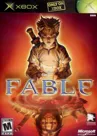
Released 2004 on Xbox, 2007 on Xbox 360
Released 2009 on Xbox 360
Released 2010 on Xbox 360, Windows
Released 2015 on Windows, Linux, 2016 on Macintosh...
Released 2021 on Linux, Windows, 2022 on PlayStation 4...
Released 2016 on Windows, Macintosh, PlayStation 4
Released 2017 on PlayStation 4, 2017 on Nintendo Switch, 2018 on Windows
Released 2021 on iPhone, iPad, Android
Released 2014 on Linux, Windows, Macintosh...
Related Sites +
-
Fable TLC Walkthrough
on GamesOver.com -
Fable: The Lost Chapters
Microsoft's official game page -
Fable: The Lost Chapters
Lionhead Studios' official game page -
Fable: The Lost Chapters - FAQs & Guides
A collection of files on GameFaqs.com including strategies, codes and more -
Forge Your Destiny in Fable: TLC
An Apple Games article about the Mac version of Fable: The Lost Chapters, with commentary provided by Creator Peter Molyneux (April, 2008). -
Game Guide for Fable: The Lost Chapters
from GamePressure.com -
Official Webpage (Mac)
The official product page for the Mac version of The Lost Chapters on the publisher's website, which provides a trailer, an overview of the various weapons and abilities within the game, desktop wallpapers, and purchasing information, among other such details. -
UHS Hint File for Fable: The Lost Chapters
A comprehensive file viewable on line or download to use offline in your UHS Reader software.
Identifiers +
Contribute
Are you familiar with this game? Help document and preserve this entry in video game history! If your contribution is approved, you will earn points and be credited as a contributor.
Contributors to this Entry
Game added by Jeanne.
Macintosh added by coolfrost. Xbox added by JRK.
Additional contributors: Unicorn Lynx, Mr. Sefe, UV, Zeppin, Patrick Bregger.
Game added September 21, 2005. Last modified April 16, 2024.