Leisure Suit Larry: Love for Sail!
-
 Best of Sierra Nr. 16
(2000)
Best of Sierra Nr. 16
(2000) -
 Gold Games 4
(1999)
Gold Games 4
(1999) -
 Leisure Suit Larry: Das komplette Vergnügen
(2018)
Leisure Suit Larry: Das komplette Vergnügen
(2018) -
 Leisure Suit Larry: Ultimate Pleasure Pack
(1999)
Leisure Suit Larry: Ultimate Pleasure Pack
(1999) -
 Sierra's Classic Adventures
(2001)
Sierra's Classic Adventures
(2001)
Description official descriptions
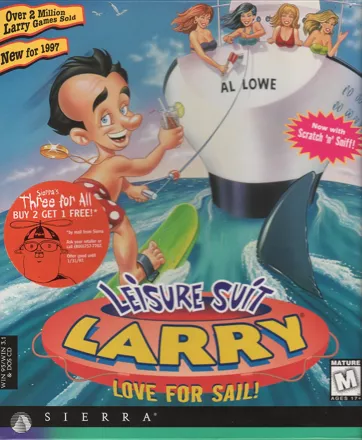
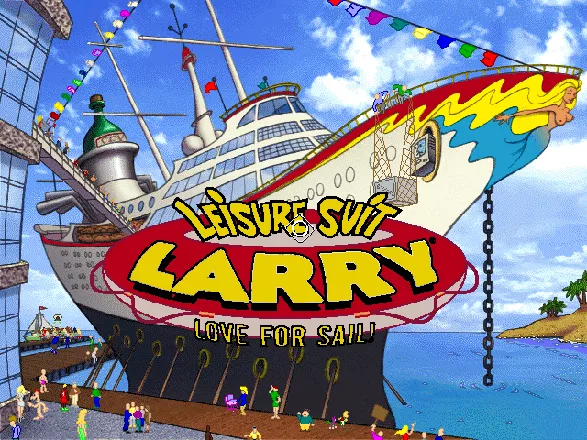
Love for Sail! is the sixth game in Al Lowe's Leisure Suit Larry series. Larry unexpectedly receives a ticket to a cruise ship. Upon the arrival of the passengers, a mega-contest is announced. This contest includes various kinds of sports and activities, from bowling to love-making. The winner will get to "score" with the sexy Captain Thigh. Naturally, there is no way Larry can win this contest fairly, so he must use his brains to solve the tricky puzzles of the game, and cheat his way into the Captain's bed.
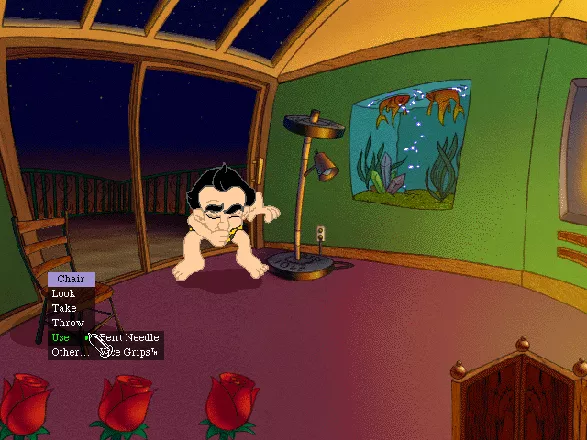
The game's structure is similar to that of its predecessor: the entire game takes place in a large enclosed area (in this case, the cruise ship), with the gameplay focusing on inventory-based puzzles and conversations. The game features a context-sensitive interface: clicking on an object brings forth a series of verbs which the player can choose in order to interact with the given object. In addition to that, it is possible to try and type any other verb (provided the game understands it), just like in old adventure games with text interface. Sometimes it is necessary to think outside of the box and come up with unusual actions in order to solve a puzzle.
Several new features have been added to the game, attempting to make players into more "active" participants of the playing process. Using a microphone, players can add their own voices, while using a scanner lets players insert their own photos into the game. Another feature that grabs attention is the automatic wallpaper. When Larry "scores" with a woman, that woman's image can be displayed as wallpaper on the Windows desktop.
Spellings
- Leisure Suit Larry: איזו מין הפלגה - Hebrew spelling
- Ларри 7 В выходном костюме: Любовь под парусами - Alternate Russian spelling
- Ларри 7: Секс под парусом - Russian spelling
Groups +
Screenshots
Promos


Videos
Add Trailer or Gameplay Video +1 point
See any errors or missing info for this game?
You can submit a correction, contribute trivia, add to a game group, add a related site or alternate title.
Credits (DOS version)
102 People (90 developers, 12 thanks) · View all
| Lead Design | |
| Writing / Dialogue / Story | |
| Producer | |
| Assistant Design | |
| Director Animations | |
| Lead Programming | |
| Programming | |
| Background Designer | |
| Director Backgrounds | |
| Animation | |
| Graphics | |
| Director QA | |
| SFX & Additional Music | |
| DREAMS Engineer | |
| Background Photographs | |
| Boy-of-all-work | |
| Larry Theme composed by | |
| Larry Theme arranged by | |
| Original composition by | |
| Piano | |
| Woodwinds | |
| [ full credits ] | |
Reviews
Critics
Average score: 79% (based on 34 ratings)
Players
Average score: 3.7 out of 5 (based on 169 ratings with 6 reviews)
Above everything else, Larry is about FUN. And dammit, this game is Fun!!
The Good
This is the most technically advanced Larry game ever, and it shows. It's also one of the last classic adventure games made by Sierra, and that alone is worth noting.
The storyline is horribly casual as always, but it doesn't really matter. By now I think Larry has come to peace with his own nature, and that is to be a lighthearted comedy game with lots of sexual content and plenty of funny moments, thus it is really inconsequential to add such things as conspiracy plots, or political agendas. Larry isn't about that, it's about getting the girls!! And this one doesn't let you down in that aspect.
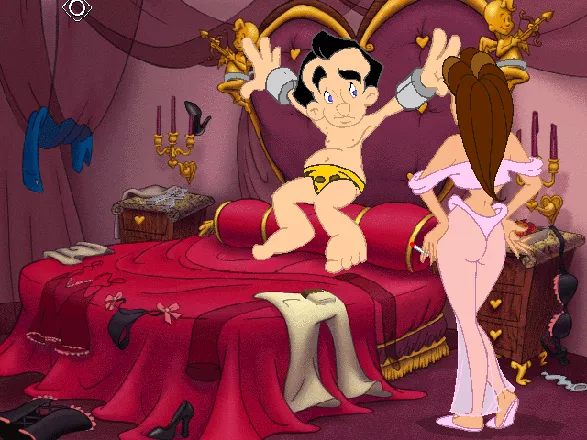
Gone is the "wanna try to be real" look of Larry 6, and instead you get some wonderfully crisp cartoon graphics reminiscent of Curse of Monkey Island, with a new design for Larry that makes him look much more like the good ol' disco loser we loved than the old geezer 5 and 6 had us used too. The sound is also top notch, with full speech, great sfx, and even some "classic" disco tunes for Larry to swing to (heck, the game ends with "Celebration Time").
The interface is completely refined, and includes a new version of the good ol' text interface. It's use isn't completely required to complete the game, but it does yield an almost unending amount of fun for those that like to fiddle around with everything.
The puzzles themselves are not the best ones ever, and often rely too much on non-logical item hunts, yet the game also adds some interesting mini-games (like strip-dice, or the Dildo-hunt) and enough amusing moments to keep you interested even if you just can't get pass a certain puzzle.
Also, this is the raziest Larry ever! With plenty of partial and full nudity to keep your hormones raging, and the babes are HOT! You are even able to export high-quality bmps of them when you "get" them to enjoy, tough I for one haven't used them on my desktop.
The Bad
Same old, same old. For those looking for Larry to crack some international crime ring, or some fantastically megalomaniac plot-line this game offers very little amusement. Just as L6, Larry 7 sets the spotlight over Larry and the comedy, and nothing else. So if you have problems with braindead fun and need something to "hold everything together" then you are gonna miss out on this one. Plus it still uses the stale "give stuff to all sub-girls so you nail them, and then go for the mega-babe with all the items you've earned" formula... geez, originality?? Whaa??
Other than that, there's the fact that the puzzles are way too wacky, and in the bad sense.
The Bottom Line
Great fun, Larry realizes he doesn't need no stinking plot-lines, and delivers what we all want: comedy and babes. And does so with great graphics, sound, interface, writing, etc. etc.
The only thing lacking somewhat are the puzzles and the fact that it doesn't really have a plot and just as unoriginal as it's prequel. But other than that... Solid!!
Windows · by Zovni (10504) · 2002
All aboard The Lust Boat! (Warning: contains sexually-explicit language)
The Good
Love for Sail! is the seventh and final LSL game created by Sierra, just before the company folded, and in my opinion, it is an excellent finale to a great series, sporting not only great graphics and a smoothing soundtrack, but also a few features.
Larry Laffer has a bad history with women - most of them having something in common with each other. They ended their relationship with Larry after just one game. Shamara, the last woman he met in La Costa Lotta, upped the anti. Not only does she leave Larry, but she shackles him to their hotel bed and sets fire to it. After finding a way to escape, he decides to take a cruise on the PMS Bouncy where various competitions are held. Win all of them, and you get to spend a week with Captain Thygh.
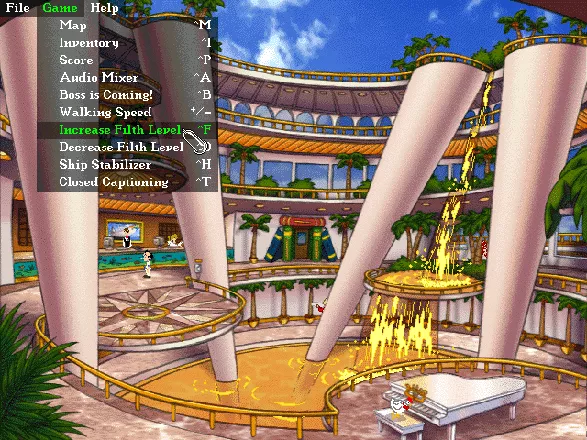
The first thing I noticed when playing this game is the absence of the familiar icons which you use to interact with anything on the screen, and replacing it is a Windows ’95-style interface. There are no icons to be seen, but the cursor - which looks like a condom - can be moved around. There are also two context menus for the left and right mouse buttons, respectively. (We’ll call it the left and right context menus from now on.), the left context menu can have different options depending on who or what you click on, but the right context menu stays the same, given you quick access to your inventory, save dialogue box, the current score, and something called “The Boss”.
There are bonuses that are included in the game, such as the feature that allows text input. So if you want to go back to the days of LSL2 and LSL3, you can access the parser by clicking on an object and selecting ‘Other…’ from the menu. The more important bonuses, in my opinion, are the 32 red-and-white-striped “Dildos” you have to find in the game, and the CyberSniff 2000. This last feature is available when Larry enters certain locations, and the idea behind it is a 3x3 grid of colored squares is supplied in the box, and whenever a miniature version of it appears, a number flashes. Then you scratch the number on the card that corresponds to what is shown the screen and you get a whiff of that environment. Having said that, it certainly pays to have a physical copy of a game, not a digital download.
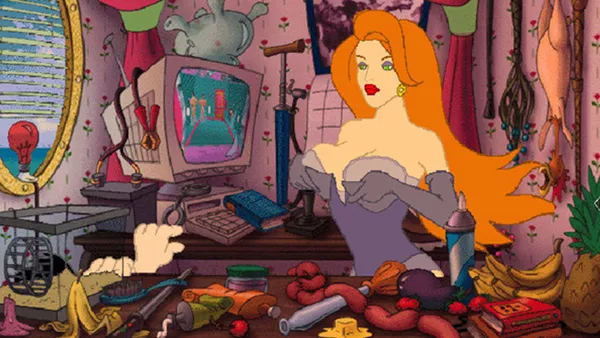
LSL7 was made using Sierra’s last revision of the SCI engine, SCI3, the same engine that powered Lighthouse and Phantasmagoria 2. There are no choice of sound cards this time, but the game boasts very colorful graphics. I enjoyed the close-up views of the characters, especially Larry’s. At the end of the fifth game, you read some text that says “Better Babes Through Technology”, and this statement is certainly true in this game. All the women in the game are hot, especially Drew Baringmore. This woman, I imagine her lying on my bed naked at night, and as she was in heat, I entered her and we were rocking up and down to the point that the resulting orgasm was amazing. But I digress.
In my opinion, the humor in LSL7 is even better than previous Larry incarnations. I enjoyed seeing Larry get busted walking back to his cabin in the nude after scoring with a women, the ship’s announcer making announcements over the P.A. system which do not make sense, and even the woman pirate who swears a lot for no reason. (Obviously the developers played Sam & Max Hit the Road.)
The music in LSL7 ranges from easy listening to techno, and Sierra managed to provide snippets of classic ‘70s songs for crucial moments within the game. Neil Ross returns as the narrator, in his slightly aggressive form. As for the sound effects, they are on par with the last two games and the “bodily function” keys are back.
The Bad
To get through the game, you have to win (and cheat) at mini-games. There is one irritating game called “Strip Dice”, where you must get your opponent to remove every bit of her clothing. The game gets more difficult the more you win, but you can also lose as well. Although you can use the old save-and-restore feature from Sierra’s games from the Eighties, this becomes tedious and you can’t even interrupt your game and go somewhere else without restarting the whole thing.
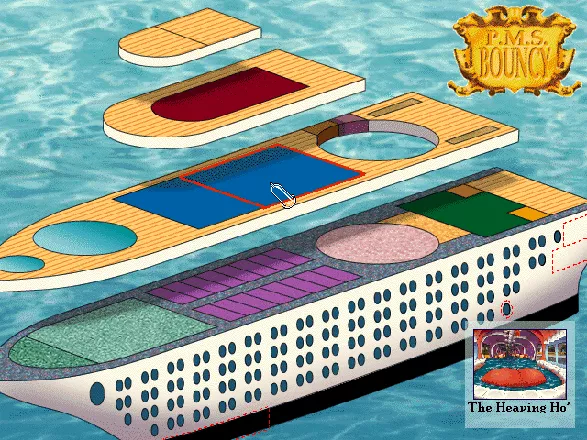
LSL7 is the first and last game to feature an in-game map allowing you to get to places quickly. Having said that, it isn’t well designed. It forces you to hunt around for a minute, trying to find the name of the place you have to go next, among the hundreds of places you can go.
The Bottom Line
The game is my favorite Leisure Suit Larry game of all time. The graphics and sound are amazing, and there are several things to look out for other than trying to complete your main quest. After Sierra completed the game, a sixth sequel was hinted in the game's ending, entitled Leisure Suit Larry 8: Lust in Space. Unfortunately, Sierra was in a world of trouble so this game was cancelled. Goodbye Larry. It’s been nice knowing you.
Windows · by Katakis | カタキス (43087) · 2018
The Good
After the sixth installment brought the glory back to the series, Al Lowe and the crew decided to stick to the formula and build upon the same concept of free exploration of a large enclosed area, "death-free" policy, and focus on challenging inventory-based puzzles.
Undeniably, the best thing about Love for Sail is interaction. Mid-nineties were a dangerous time for the adventure genre, as interfaces became more and more simplified, and puzzle design fluctuated wildly between sparse clicking between FMVs and fiddling with mind-breaking mechanical devices. Luckily, Love for Sail escapes both those extreme tendencies: it is a generously designed game with wealth of choices and copious amounts of feedback, and it is a joy to sink your adventure-craving teeth into.
In my opinion, Love for Sail has the best interface ever conceived for an adventure game. It combines the elegance and simplicity of contemporary-style interaction with the good old early text-typing. That's right: you get the best of both worlds in this game. Every object gives you a standard choice of interaction possibilities, plus the ability to type any verb you like and see what happens. Naturally, not every verb will be recognized as applicable to every object; but what matters here is trying. The game encourages experimenting and creative thinking, and that's the right ingredient for a great adventure. In some instances, you are actually required to think outside of the box and type in the right action in order to solve a puzzle.
Every dialogue you participate in allows you to choose between a wide variety of topics. Love for Sail is the most verbose game in the series, and that's a good thing: the writing is consistently entertaining, with plenty of the silly, charming humor we've come to appreciate in those games. Like before, the narrator provides plenty of feedback, commenting on every action your attempt, and his constant taunting remarks and poking verbal exchanges with Larry himself are delightful.
Like its predecessor, Love for Sail is open-ended. You are free to explore most of the ship right from the beginning, with only a few locations being barred from your drive to discover, further stimulating your curiosity. Even though you can't ever leave the ship, it comes across as a large game world with as much diversity as they could probably achieve with such a thematically limited location. The game is built like one gigantic puzzle, with most of your tasks being interconnected and intertwined, so that you'll need to be attentive and good at multi-tasking. I prefer this adventure design philosophy to linear, self-sufficient segments.
The puzzles are, for the most part, varied, challenging, and appropriately illogical and amusing. In fact, this is probably the most puzzle-rich Larry game. Love for Sail also comes with lots of extra stuff, starting with funny minigames such as "find a dildo", and ending with a piece of paper that you could scratch in order to experience the authentic smell of a given moment in the game. You can also record your own voice to replace some of the dialogue lines. You can play dice, cook stuff in a pot, or discover various Easter eggs to see all the girls in their natural versions.
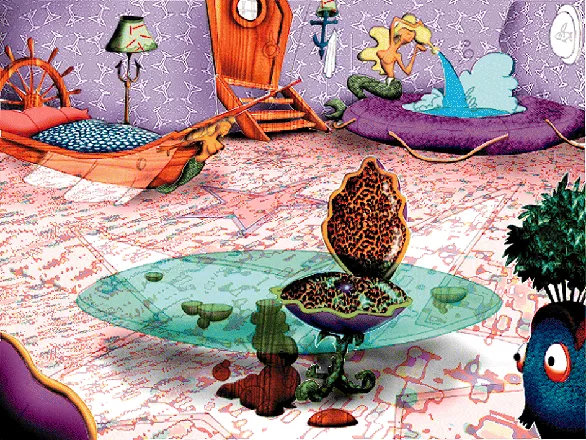
Visually, this installment makes a full usage of the latest cartoon technology, and presents a comically disproportional Larry raving in SVGA environments and sexy women with .BMP extensions to decorate your desktop. Now the characters don't just talk funny: they look funny, too. The graphics are colorful and vibrant, the animations are spot on. The music, thanks to the possibilities of the medium, reaches its most glorious moment in the history of the series. Already the early MIDI music of Larry games was great, but now it is all nicely packed in beautifully orchestrated audio tracks.
The Bad
The only thing Love for Sail seriously lacks is originality. The success of the previous title probably convinced the developers that they should stop experimenting and focus on what worked well. As a result, they devised a nearly identical formula for this final iteration. Larry is once again confined to one major location (in this case, the ship), and the game's plot essentially consists of trying to have sex with almost every female character you meet so that you'll be able to gain access to the "mega-babe". Sounds familiar?
Indeed, while Love for Sail excels at what it wants to be, its aspirations in terms of overall structure and storytelling aren't very high, to say the least. It gets predictable when you know with certainty that you'll be getting busy with several young women at once only to score with the final one. Now, I don't demand an involving plot full of dramatic twists and sharp psychological observations from a Larry game, but it looks like they didn't even try here. It is also a bit sad that, after all the romantic perturbations he has been through, the character of Larry returned to tricky, yet schematic womanizing without any other interesting incentives thrown into the pot.
The Bottom Line
Love for Sail is just what you would expect from a grand finale to a legendary series. It's certainly not very original, and you won't find a world-embracing conspiracy plot in it; but in terms of comedy and adventure gameplay, this final installment delivers in spades.
DOS · by Unicorn Lynx (181775) · 2014
Discussion
| Subject | By | Date |
|---|---|---|
| How to I record my voice? | The Fabulous King (1332) | Nov 25, 2007 |
Trivia
Alternate ending
The game features a series of easter eggs which show each and every one of the girls in a more...uhm, "revealing" form, and if the player manages to score all the points, gets all the easter eggs, and finds all the dildos an alternate ending is unlocked.
Cybersniff 2000
The original version of Love for Sail came packaged with a "Cybersniff 2000" card reminiscent of the "Scratch'n'Sniff" goodie from Infocom's classic Leather Goddesses of Phobos. In certain locations and situations throughout Larry's adventure, the game displays a blinking number to indicate a specific smell. You're supposed to scratch the corresponding square on the card and sniff.
The nine smells:
```
Square Smell Location(s) 1 Sea breeze Decks / Mast 2 Coconut Drew / Forward Hold 3 Deodorant Aft Hold 4 Vanilla Owner's Suite / Smell Handkerchief 5 Fart Casino 6 Moldiness Cabin / Aft Hold 7 Fish Kitchen / Lovemaster 2000 8 Cheese Smell Cheese / Smell Mold 9 Chocolate Desert Room
```
Dildos
During the game player can win extra bonus points by uncovering 32 stripy dildos hidden across the ship. This idea was snuck in at the last minute after the game had been passed by quality control.
Logic errors
Players can still use the courtesy phone to talk to Mr. Boning even after he's dead.
Music
- The music playing at the spa with the Juggs is the same as the title music from Freddy Pharkas: Frontier Pharmacist.
- The music that is playing when Larry enters Captain Thygh's room is from Wagner's Tannhäuser. This opera deals with the conflict between physical love and spiritual ideals.
Novel
In 1997 there was a German novelization of the game named Die verrückten Abenteuer des Larry Laffer by Steve Whitton (ISNB 3-404-13928-3).
Picture wall
The left wall of the high security hallway leading up to the PMS Bouncy's staff break room is lined with pictures of alleged former winners of Captain Thygh's contest (see screenshots section). These are photos of real-life persons. The most obviously recognizable one is Bill Clinton, President of the United States at the time of Love for Sail's release. But who are the other nine people?
15 years after the game's release, in August 2011, Sierra's Al Lowe, Mark Seibert and Ken Williams recall most of them:
Top row, left to right: * Cendant's Walter Forbes, then Sierra board member, as of 2011 convicted criminal * Bill Clinton, President of the United States * Mike Brochu, then Sierra president * Randy Dersham of Dynamix * Jeff Tunnell, Dynamix founder
Bottom row, left to right: * Ken Williams, Sierra founder * Jerry Bowerman, then Ken William's assistant * Scott Lynch, then head of Sierra development, as of 2011 COO of Valve. * ? * ?
On the last two, even the triumvirate has to pass after all these years. If anyone can clear up the mystery, please contribute!
References
- All of the names for the babes in Larry 7 (except the final one) are based on real female celebrities:
- Victorian Principles (Victoria Principal)
- Dewmi More (Demi Moore)
- Jamie Lee Coitus (Jamie Lee Curtis)
- The Juggs (The Judds)
- Drew Baringmore (Drew Barrymore)
- Annette Boning (Annette Bening)This is a continuation of an idea from the previous game, where all the girls were named after wines.
- The four men that order a martini in the casino, represents the actors that have portrayed James Bond in the 007 films up to the game's release (except George Lazenby): Roger Moore, Sean Connery, Timothy Dalton and Pierce Brosnan.
-
After Victorian principles changes into "Vicki", you can see that she's playing Leisure Suit Larry 6: Shape Up or Slip Out! on her PC.
-
After Larry jumps off the hotel balcony at the start of the game and bounces off the trampoline below, one of the panicked onlookers in the background appears to be dressed like the title character from the popular Japanese manga/anime franchise Sailor Moon. Information also contributed by -Chris, Daniel Albu, Emepol, SlyDante and Unicorn Lynx
Analytics
Upgrade to MobyPro to view research rankings!
Related Games
Released 1987 on DOS, 1988 on Amiga, Windows...

Released 1988 on DOS, 1989 on Amiga, Atari ST
Released 1997 on DOS, Windows

Released 1994 on DOS, Windows 3.x, Windows...

Released 1990 on DOS, Amiga

Released 2004 on Windows, PlayStation 2, Xbox

Released 1989 on DOS, 1990 on Amiga, Windows

Released 1993 on DOS, 1994 on Windows 3.x, Windows
Released 1999 on DOS, Windows, Windows 3.x
Related Sites +
-
Al Lowe's Humor Site
The creator of Leisure Suit Larry 7's homepage -
Hints for LSL7
Robert Norton penned these hints, which will give you just what you need to solve the game. -
Walkthrough
Full solution for Leisure Suit Larry: Love for Sail!
Identifiers +
Contribute
Are you familiar with this game? Help document and preserve this entry in video game history! If your contribution is approved, you will earn points and be credited as a contributor.
Contributors to this Entry
Game added by MajorDad.
Linux added by Lugamo. Windows 3.x added by Katakis | カタキス. Macintosh added by Jeanne.
Additional contributors: Terok Nor, Zovni, Katakis | カタキス, Jeanne, James Isaac, JRK, Vaelor, Ivan Napreenko, Crawly, Klaster_1, Trond Berntsen, 6⅞ of Nine, Amayirot Akago, Patrick Bregger, mailmanppa.
Game added November 5, 1999. Last modified January 25, 2024.