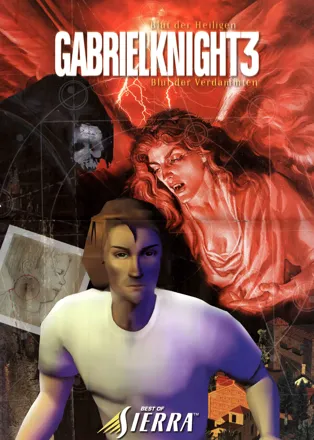
Gabriel Knight 3: Blood of the Sacred, Blood of the Damned
-
 Sierra's Classic Adventures
(2001)
Sierra's Classic Adventures
(2001)
Description official descriptions
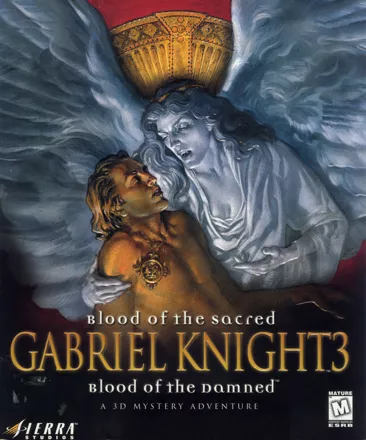
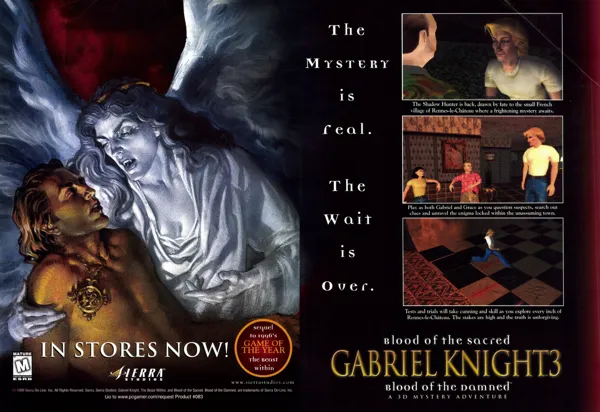
The third game in the series takes Gabriel Knight, the former owner of a book store in New Orleans, and now a Schattenjäger ("shadow hunter") living in a castle in Bavaria, to Rennes-le-Chateau, a quiet town in Southern France. Gabriel and his assistant Grace Nakimura investigate the kidnapping of a baby: the son of Prince James of Albany was taken away, and the trace leads to Rennes-le-Chateau. While exploring the town and its surroundings and getting acquainted with the unusual history of the place, Gabriel and Grace realize that supernatural beings are pulling the strings behind the stage, and become involved in a mystery with a religious background dating back to the very beginnings of Christianity.
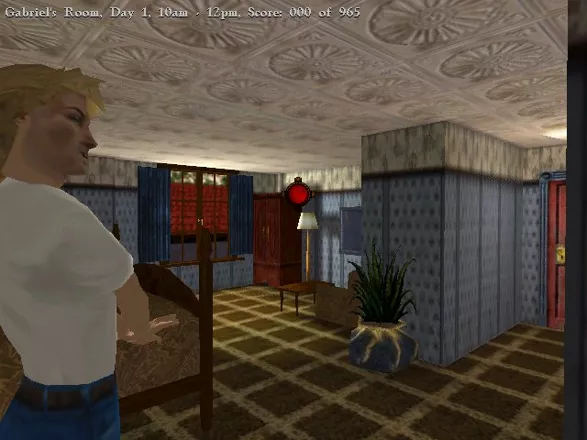
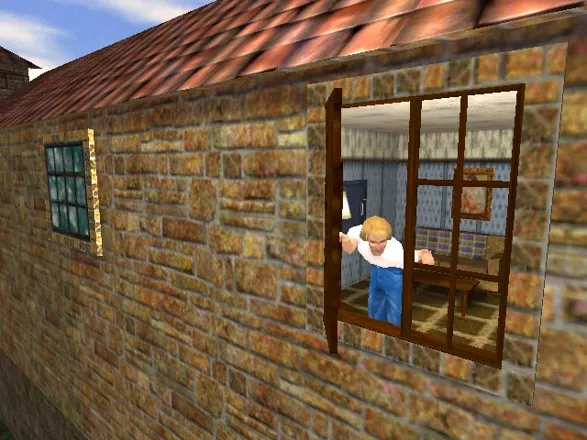
Gabriel Knight 3: Blood of the Sacred, Blood of the Damned is a 3D adventure game. Playing as Gabriel or Grace, the player navigates the characters through fully 3D environments, which can also be viewed and explored from first-person perspective using the "camera" option. The player interacts with people and objects by clicking on them and then selecting one of the available actions. There are many kinds of puzzles in the game: traditional inventory-based ones, detective investigation, as well as complex puzzles based on the player's knowledge and understanding of the game's lore.
Spellings
- Гэбриэл Найт 3: В поисках Грааля - Russian spelling
- 狩魔猎人3 - Simplified Chinese spelling
- 狩魔獵人3:聖魔血祭 - Traditional Chinese spelling
Groups +
Screenshots
Promos
Videos
Add Trailer or Gameplay Video +1 point
See any errors or missing info for this game?
You can submit a correction, contribute trivia, add to a game group, add a related site or alternate title.
Credits (Windows version)
130 People (119 developers, 11 thanks) · View all
| Story | |
| Cast/Voices |
|
| Producer | |
| Music | |
| Game Designed and Written By | |
| [ full credits ] | |
Reviews
Critics
Average score: 83% (based on 45 ratings)
Players
Average score: 4.0 out of 5 (based on 127 ratings with 7 reviews)
The Good
An adventure game that is both new and old in many aspects, Gabriel Knight manages to dazzle the mind once again as he stars in yet another perfectly crafted storyline written by series creator Jane Jensen. As usual for the series, the game puts you in the middle of a complex and genuinely interesting plot that revolves around actual facts sprinkled with some supernatural elements and with some dashes of lighthearted sexual comedy. The results are once again, as usual: magnificent.
The storyline progresses smoothly, and introduces plot-points and revelations at a pace that manages to keep you interested yet doesn't overshoot, even if it does lean heavily towards being a "Whudunnit?" plot and ditches most of the supernatural elements (more on that later). Further praise must be awarded to Mrs Jensen for finally putting a closure to one of the most annoying aspects that plagued the series: the Gabriel/Grace love/hate relationship, It always seemed like a cheap gimmick to keep ratings up and this is Gabriel Knight, not "Friends". The resolution is open to interpretation, but for the most part ends the "will they ever get toghether?" question, and lets us focus on the storyline instead of the shitty "loves me / loves me not" soap opera. I personally would have preferred it to be more final, but at least it's something.
The real innovation in the game comes of course, in the gameplay and graphics area. It seems that the GK are the only game series that have passed all the major gameplay/graphic fads of the videogame industry, first the SCUMM-ish sprite-based engine, then the FMV interactive-movie one, and now the flashy polygonal world comes to the GK franchise. As far as I'm concerned, the engine and the gameplay mechanics work perfectly with the game since nothing allows you to explore with as much leisure and freedom as a fully-polygonal world. Basically, you don't just control the characters, but you also have full control of the "camera" that serves as your pov, so you can move anywhere you want and get a good look at whatever the hell you want. The puzzles respond to this engine change, and tough there are still plenty of "typical" inventory/deduction puzzles, there are also new ones that involve visual coordination and less obvious mind skills. In all, the new engine is a marked improvement, and the puzzles and general gameplay are extremely well made.
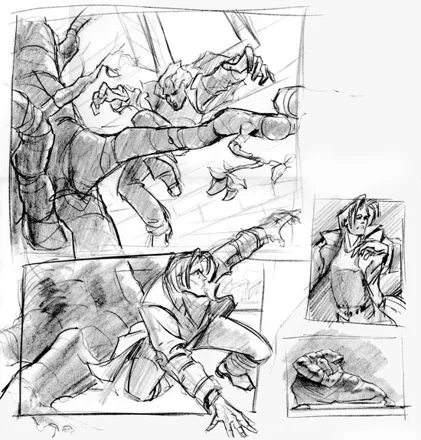
The production values for the game are also top-notch, with great voice acting (who the hell says this game has bad acting??? The accents are a bit on the rough side, but it's still far from being Deus Ex!) fantastic music (tough a bit far too folky for my taste), and (on a more superfluous note) a kickass box and documentation. The manual is as flimsy as they get nowadays, but the game includes a wonderfully drawn (if a bit to artsy) comic as a prologue to the game just as in the original.
The Bad
Well, I loved GK3 and in fact the entire GK series is one of my personal favorite adventure series, but regardless of my enjoyment, I am not fanboyish enough to ignore the game's flaws.
First of all the gameplay introduces a highly controversial addition to me: time-based puzzles. In other words, there are some actions in the game that take place in real-time whether you are there or not, and if you manage to get them good, if not it sucks to be you pal!!.... Geez, I assume this was done as a means of artificially enhancing the replayability factor, but it's a very anal way of doing so. Plus most of the time there are no logical pointers to tell you whether X thing is going to happen at Y moment, you just have to pray that you are at the right time in the right moment. None of these moments are game-stoppers if you miss them, but that doesn't mean it doesn't suck to miss them.
Furthermore, the storyline is good and all, but unfortunately ditches all the horror and suspense the previous games were known for. Jane Jensen focused on telling a tale more about conspiracies, secrets and developing her characters. So that leaves little place for the terror. In fact, if it weren't for the occasional murder the game pretty much forgets about it's "vampiric" setting and instead plays more like a whudunnit adventure with a lot of historical and occult references. There just isn't enough room between Gabriel and Grace's romantic comedy, the conspiracy theories and the historical mumbo-jumbo to jam in the terror, which leads me to believe that the series has finally turned into it's creator's fetish outlet where she just does whatever the hell she wants regardless of whether it fits the role or not. That's respectable, but Mrs Jensen would benefit from going back to the humble roots that started her road to fame instead of using GK as some sort of open mike for her historical interests. When you think about it, it's better to have the series die now instead of having to endure sequels that fully cross the border into "edutaiment" brrr.... Now THAT's terrifying!!!
Sure, the GK games were as scary as forgetting the keys to your car, but at least they had a lot of suspense, and managed to create some serious atmosphere. The game still retains the quality in writing and all, but suspense/horror-wise it doesn't hold a candle against the previous GKs. And don't get me started on the vampires!! I meet scarier anorexic black trenchcoat-wearing dumbasses on my local goth-club... mmmmh.... goth chicks.... hmmmmm!....... What? Oh yeah, the vampires on GK3 suck. And what's with the Indiana Jones ending sequence??? Let's just move on...
Last but not least there are some weird graphic issues. I don't have a monster system, yet I can perfectly run massive 3D games like the new Wolf, GTA3, etc.. yet GK3 still chugs like a bastard whenever I try to turn on full detail! Furthermore there are clipping issues and other interesting glitches that make it seem as if the engine needed another couple of hours on the Q&A program, but the main issue that I bring this up is that while far above average, the quality of the graphics never justify the problems it causes! I still laugh whenever I remember Gabriel's "cardboard" underwear or the visible joints on every character model. To be fair tough, the quality of the textures is still amazing.
The Bottom Line
GK3 is a perfect example of when an artist has waaay to much power. Even if she were on drugs and with handcuffs, Jane Jensen could still write a fantastic storyline. Yet I feel if someone had bothered to remind her aim should have been making a great game instead of "Jane Jensen's Gabriel Knight 3" the game would have been as memorable not just as a well-crafted 3D adventure but also as a horror/suspense classic. As it is now it's a great adventure, but don't let the box deceive you, this is a "conspiracy mystery placed in a history lesson". That doesn't mean it's bad, mind you, but it's far different from the "suspense thriller based on actual historical facts" that the previous games had us used to. Ask yourself what your interests are before you dive in. Regardless of that it's a fantastic game that should keep you interested for quite a while.
Windows · by Zovni (10504) · 2001
Gabriel Knight returns in his last adventure for now
The Good
This is the third and final chapter of the Gabriel Knight series for now. In the previous adventure, Gabriel, with the help of his charming assistant Grace, solved the murders of innocent people who were eaten alive by werewolves.
In this latest adventure, both Gabriel and Grace are invited to stay at the remote French village of Rennes-le-Château, where Prince James of Albany tells Gabriel that his baby son is kidnapped and wants him to bring him back safely from the kidnappers. But as Gabriel pursues the kidnappers, a much darker plot unfolds, involving vampires and buried treasure. The in-game introduction doesn’t show much, but if you read the prologue that comes with the game, you’ll see what the main plot is about. If you’ve lost the prologue, you’ll be supplied with a PDF version when you install GK3.
As I said in my review of GK2, you take control of both Gabriel in the odd chapters, and Grace in the even ones. In GK3, it is the same deal, but we’re not talking about chapters here. Instead in GK3, you only have three days to find the baby and solve several vampire killings, but each day is split into timeblocks, and this is indicated in the game (eg: Day 1, 10am-12pm). Each timeblock ends when either Gabriel or Grace completes a certain amount of tasks. Some are short, while others are quite long. Also, you won’t be able to control Grace until Day 2 as she arrives at Rennes-le-Château on the tour bus the previous evening.
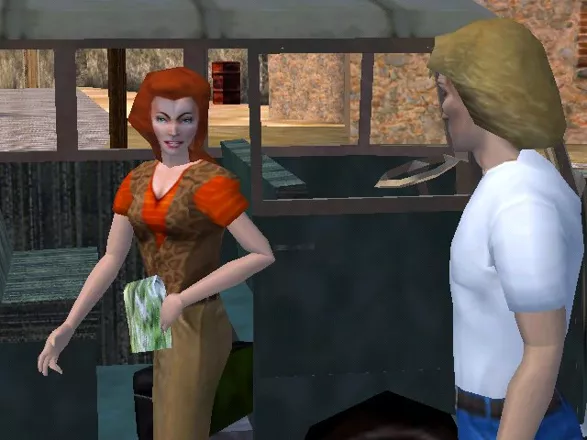
Joining them at the hotel is your average tour group. These include Estelle and Lady Howard, the two British lasses who get worked up over something; Vittorio Buchelli, the Italian; Emilio Baza, who is of Middle East origin; and John Wilkes, the Australian who would like to get his hands on the treasure before anyone does. Leading the tour group is the beautiful French woman, Madeline Buthane. Everybody involved with the tour group is a suspect. Both Gabriel and Grace are not restricted to investigating inside the village, but once they get access to the Harley, they may continue their investigation elsewhere.
During the investigation, as both characters, you have to do some detective work such as speaking to people about both the kidnapping and the killings, and dust objects for fingerprints then put them into a plastic bag. You then scan those fingerprints into SIDNEY (Schattenjäger Informational Database) that Grace brought with her when she first comes here. SIDNEY is also useful for receiving new e-mail, researching topics, making false IDs, and analyzing items that are scanned into SIDNEY.
The interface is easy to use. You use the mouse to click on an object, which brings up the verb menu basically consisting of icons. Depending on the object, you can use, move, climb, and look at, and much more. You can even inspect them to see a close-up view of the object, and this works for all characters as well. I’m glad that Sierra decided to stick with the mouse, and not use the keyboard-only method that LucasArts stuck with in their adventures such as Escape from Monkey Island and Grim Fandango, where you have to figure out which key does which. Furthermore, you can view the game at several camera angles by sliding the mouse up or down, forward or backward, to adjust the view. This makes it useful for getting objects that you can’t see at a certain angle.
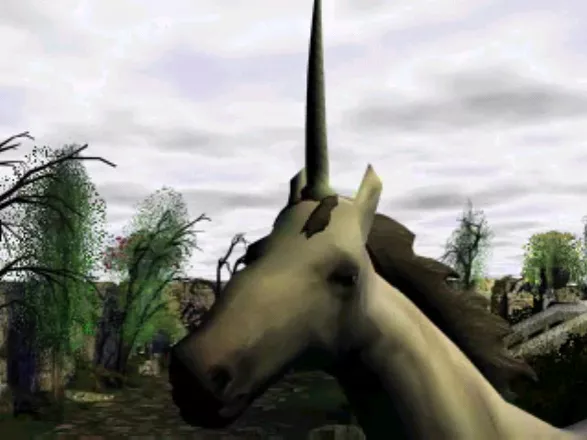
The graphics in GK3 are great and make full use of 3D. GK3 does not require a 3D accelerator, although one is recommended. Without one, the graphics appear much darker unless you adjust the gamma slider included in the graphic options. If you find the resolution too big, you can adjust this to either 800x600 or 1024x768. With the 1024x768 resolution, I found that I couldn’t read what score I’ve got so far properly, so setting the resolution to 800x600 did the trick. The resolution wasn’t a problem for me in the other two GK games, as one had a fixed resolution at 320x200, and the other 640x480. The sound, on the other hand, is excellent as well. The music can be quite dramatic at times, such as when Gabriel inspects crime scenes or being pursued by kidnapped. GK3 comes on three CDs and each one of them has a day on it (eg: CD 1 has Day 1, CD 2 has Day 2, etc.).
The Bad
The speed slider that controls the speed of your character is not present in the game, so I had to suffer watching Gabriel and Grace walk slowly toward their destination. Even GK2 doesn’t have a slider, but at least Dean Erickson walked a lot faster. Like the last two GK games, GK3 tends to be a history lesson rather than an adventure game. In GK1, Gabriel asked for information about Voodoo and in GK2, Grace had to visit German museums where she researched about King Ludwig and Richard Wagner. In this game, you access SIDNEY and research topics, then when the results come up, you have to click link after link to get the information that scores you a lot of points.
When you install the game, you can access a promo of the Nightmare of Elm Street series, digitally remastered, but this has nothing to do with the game.
On its current setup, my system also can’t take the heat. First, when I played this game for long periods of time, and then left the game, many programs refused to work, and when I shut it down, Windows decided to lock up. There are many Easter Eggs in the game, but I can’t access them. When I do this, GK3 reports “unrecognized fatal exception”.
The Bottom Line
Apart from the history lesson, this game is very good. ***½
Windows · by Katakis | カタキス (43087) · 2002
"I didn't sleep for four days playing this game....."
The Good
I have been a Sierra adventure game fan for 15 years, since the release of the original Kings Quest. I have purchased and played every game they have put out. In recent years I had moved out to other companies due to Sierra's (uh-hum) lack of quality. But with the third release in the GK series Sierra has reclaimed the crown (or at least showed that it still remembers how to put out a good game when it wants too).
Gabriel Knight 3 is a revolution for adventure games. While modern machines have far surpassed the traditional adventure game layout the genre has stagnated, urging many to claim that the end was finally near for adventure games (I think this argument started about the time that Kings Quest 2 came out). The game has taken what was best about adventure games, added in the brilliant writing of series creator Jane Jensen, and mixed with a new graphics engine that is close to the one used in Kings Quest 8 but moved beyong just killing everything that moved.
The world is fully 3D and the control of the game is based on a camera system. While I have seen this approach fail miserably in other games Gabriel Knight finally uses it not only well but exceptionally. The puzzles reqire intelligent use of the camera and rethinking of the traditional adventure game approach (pick up everything that is sharper in the background, indicating that it is important). The interface is quick to learn and once learned is very easy to navigate and use.
The graphics are also wonderful. Scaled to adjust to your machine automatically upon startup, the game graphics played beautifully on my Pentium 233 with a voodoo 2 card. On a higher end machine they are even more stunning (Pentium 2, 450 at work).
But even with the graphic and interface this game would be nothing without gameplay. It has that in abundance. The Gabriel Knight series has been the thinking man's adventure game for years and this installment only reinforces that. In addition, Jensen appears to have really had her time to develop the story as it is more detailed and rewarding than the first two games (which is saying a lot).
The Bad
Nothing. Not a thing. Other than it eventually ended.
The Bottom Line
Sierra seems set on recasting their image. With the release of both HalfLife and Homeworld they have demonstrated that they can still make games worth playing. This game is Sierra's demonstration that they can still make adventure games. If you ever were an adventure game fan, this is worth your time. If you ever wondered what the fuss was about, this is your game. If you played Mist (God help you) and wanted more, this is your game. Basically, if you are a computer game player you should check this game out. You will be seeing more just like it over the next few years and will probably hear enough about it to justify a good play through.
Windows · by Andy Roark (263) · 2003
Discussion
| Subject | By | Date |
|---|---|---|
| Best adventure series ever. | chirinea (47495) | Nov 8, 2011 |
| Still The Greatest | St. Martyne (3648) | Feb 23, 2009 |
| And that f'ing puzzle is not only stupid ... | Slug Camargo (583) | Oct 3, 2007 |
Trivia
Bugs
Gabriel and Grace both give humorous comments at most objects you see in the game. Though there is a little bug in this - being Grace and looking in the museum of rennes-le-chateau and looking at one of the paintings on the wall in the big museum-hall will give you Gabriel's comment on it.
Development
Dean Erickson, who played Gabriel in GK2, was briefly considered to play the role of Gabriel again. But Sierra wanted a more professional actor to play the role and so Tim Curry was chosen to return to the series.
Inspiration
The plot around the San Greal Secrets book is partially based on the real 1983 novel Holy Blood, Holy Grail. A controversial work on its own, it returned to the spotlights once again amid plagiarism speculations in the 2003 bestseller The Da Vinci Code.
Legacy
Gabriel Knight 3: Blood of the Sacred, Blood of the Damned was the last adventure game published by Sierra.
References
- Grace now has a computer that keeps all the shadow hunter's data and is called SIDNEY. The thing is, that when you enter "Gabriel Knight 4" as a topic of research, you get a ghost story. Jane Jensen affirmed that if GK4 ever gets out, as a book or a game, it will be about ghosts.
- When you look at the chicken who's walking outside the hotel, Gabriel will say something about the voodoo murders from the first Gabriel Knight adventure.
Wal-Mart
The game's subtitle "Blood of the Sacred, Blood of the Damned" was removed from the cover of boxes sold at Wal-Mart locations, as per their request.
Information also contributed by Crawly, Ju, just Ju..., Luis Silva, MAT, Picard, Tom Murphy and WildKard
Analytics
Upgrade to MobyPro to view research rankings!
Related Games

Released 1993 on DOS, Windows 3.x, Windows

Released 1995 on DOS, Windows, Windows 3.x
Released 1998 on DOS, Windows, Windows 3.x
Released 2014 on Windows, PlayStation 4, Macintosh
Released 1986 on NES, 2007 on Wii, 2014 on Nintendo 3DS...

Released 1986 on Commodore 64, MSX, ZX Spectrum
Released 2019 on Android, iPhone, 2021 on Nintendo Switch

Released 2013 on Macintosh, iPhone, Android

Released 2019 on Windows, Macintosh, 2020 on Nintendo Switch
Related Sites +
-
GK3 Walkthrough
on Just Adventure -
Gabriel Knight 3
a fan site dedicated to GK3 -
GameFaqs GK3 FAQs & Guides
A collection of files (walkthroughs, facts, etc.) posted on Gamefaqs.com -
Hints for Gabriel Knight 3
Jason's hints will definitely push you in the right direction while solving this game's many puzzles. -
Mosely
A site dedicated to Detective Mosely, with an image gallery and even a minigame: Moselys alley -
Postmortem: Sierra Studios' Gabriel Knight 3 (October 11, 2000)
Gamasutra article by Scott Bilas -
Understanding GK3
A guide for understanding the game's story and historical references. -
Walkthrough by Crash
Nicely written and easy to follow solution
Identifiers +
Contribute
Are you familiar with this game? Help document and preserve this entry in video game history! If your contribution is approved, you will earn points and be credited as a contributor.
Contributors to this Entry
Game added by Andy Roark.
Additional contributors: Andrew Hartnett, Zovni, Erwin Bergervoet, Adam Baratz, Unicorn Lynx, Jeanne, JRK, chirinea, Gonchi, Aubustou, Klaster_1, Paulus18950, Cantillon, Rodrigo Steinmann, Patrick Bregger, Bart Smith.
Game added November 28, 1999. Last modified March 31, 2024.